Members can pay for most things online using a credit or debit card. Sometimes members may receive a payment link via an email, for example for a group fee. In any case, there are links in the Shop as well.
This page shows typically what a member will see when making a payment, wherever initiated from. The example used here is for the Dorothy Clive Outing group fee.
If starting from the Shop, find the required item from those listed.
The cost of the item, in this case £38.50 for the group fee, is shown. Some items show a range where the exact amount depends upon other choices, which will be made on the next screen. Click on the "Pay Here" button on the right to start. A new tab in the browser will open, showing the following page.
Burton on Trent u3a
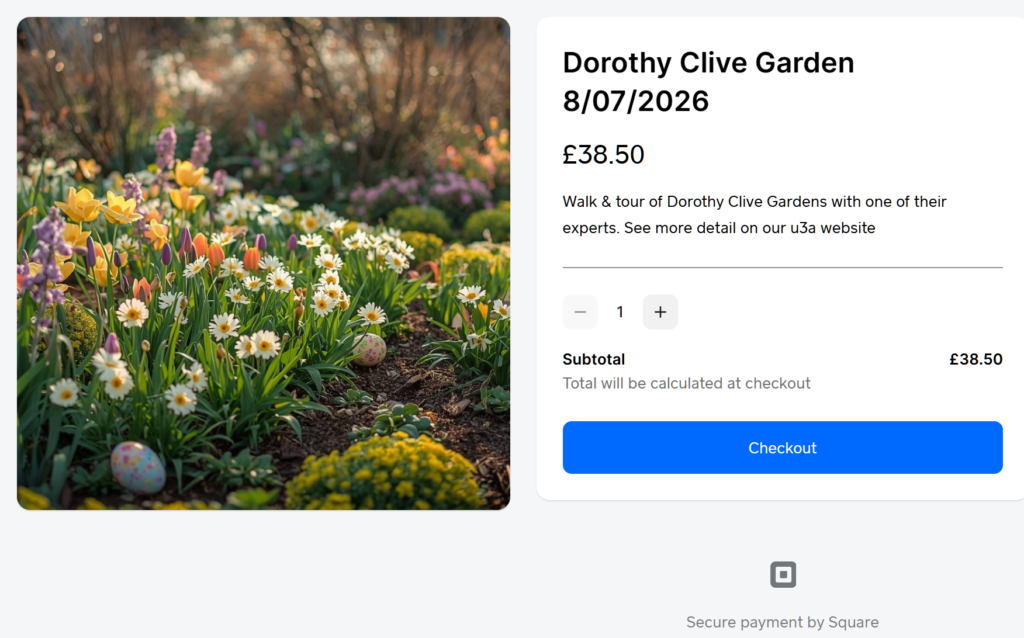
If there was a further selection to be made, for example to choose between the visit types, there would be a drop-down selection box near the top on the right. It is also possible to increase or decrease the number of the items being paid for using the "-" and "+" boxes on either side of the "1" showing next to the "Join/Renew" button. The total amount to pay is shown in this button as well.
The membership number is always requested to make it easier to identify the member who this item is being purchased for. Once a number has been entered here, click on the "Checkout" button.
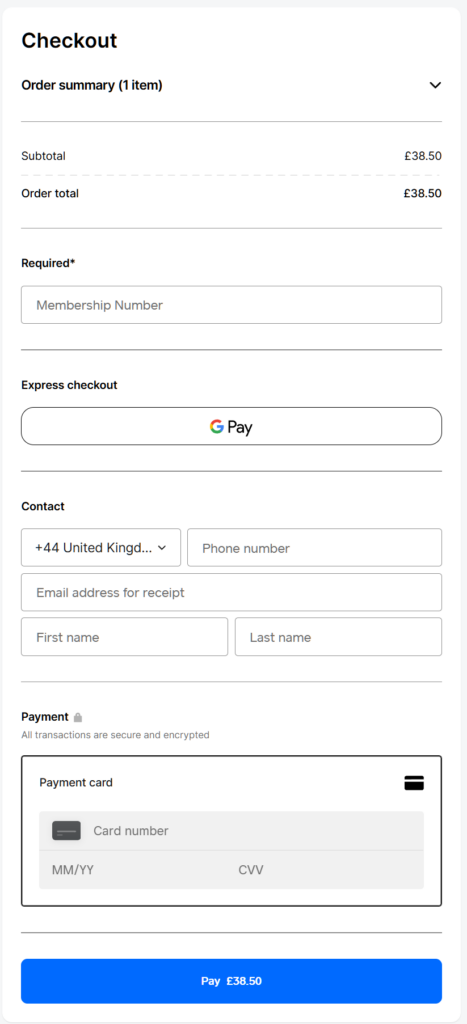
Enter all of the requested payment details. Then click on the "Pay £--.--" button.
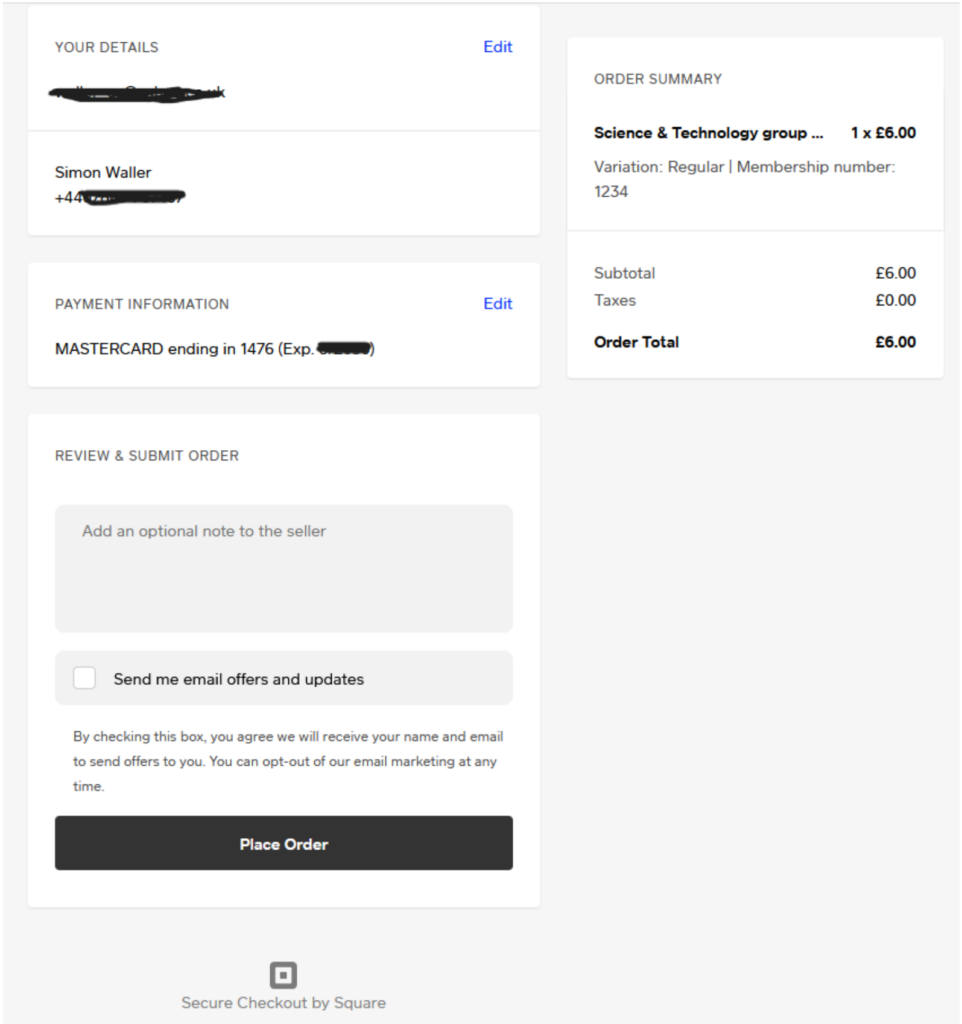
This screen allows the member to review the details that they have added. This is the last chance to make corrections or to back out completely. If everything is correct, click on the "Place Order" button. It is at this point that payment will be taken from the card. If everything is ok, the following confirmation screen is shown. If three bubbles are displayed, it means that the site is processing your request. Do not press Back in your browser but wait for it to complete.
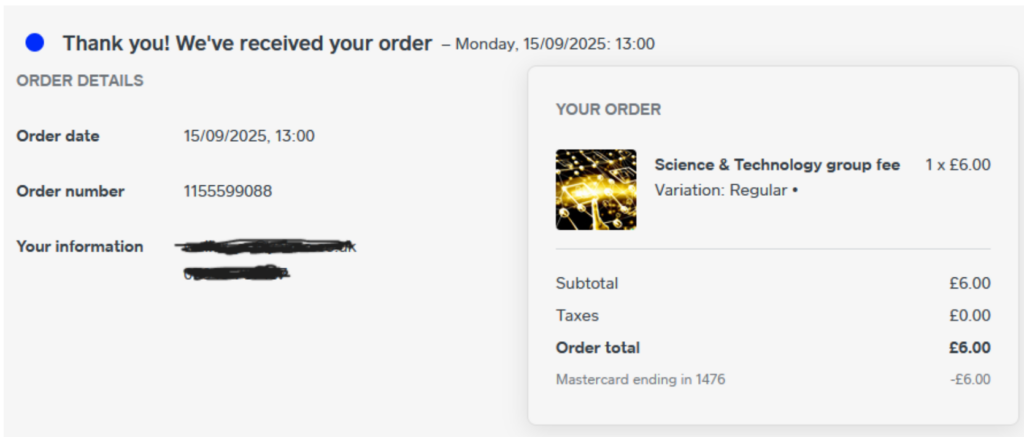
A confirmation email is sent to the email address entered earlier. This is confirmation that the order has been placed (another way is to check your credit card transactions).